




 USD
USD EUR
EUR GBP
GBP CAD
CAD AUD
AUD HKD
HKD JPY
JPY KRW
KRW SGD
SGD NZD
NZD THB
THB TWD
TWD English
 繁體中文
繁體中文 日本語
日本語 한국어
한국어 ไทย
ไทย Bahasa Indonesia
 Français
 Español
 Deutsch
 Português
 Nederlands
 Tiếng Việt
By EVPAD | 11 May 2021 | 0 Comments
How to pair the EVBOX 5P Bluetooth voice remote control?
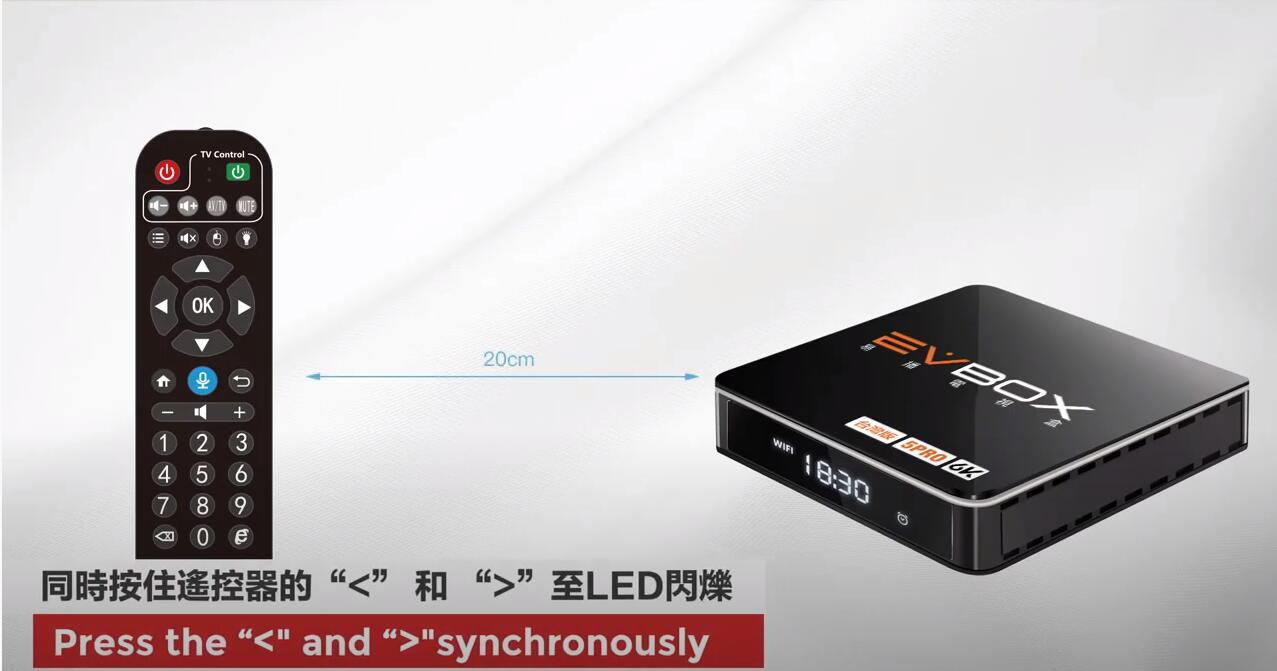
1. Press the “<” and ">" synchronously on the EVPAD 5P remote control.
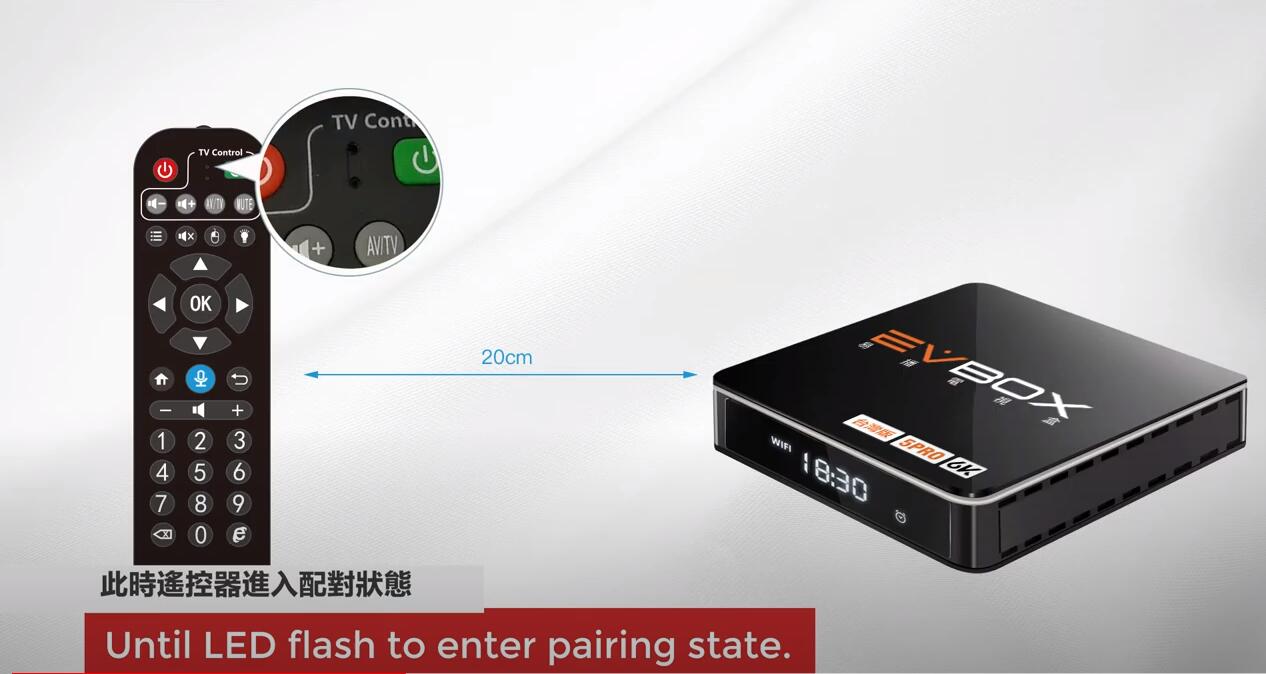
2. Until the LED flashes to enter the pairing state.
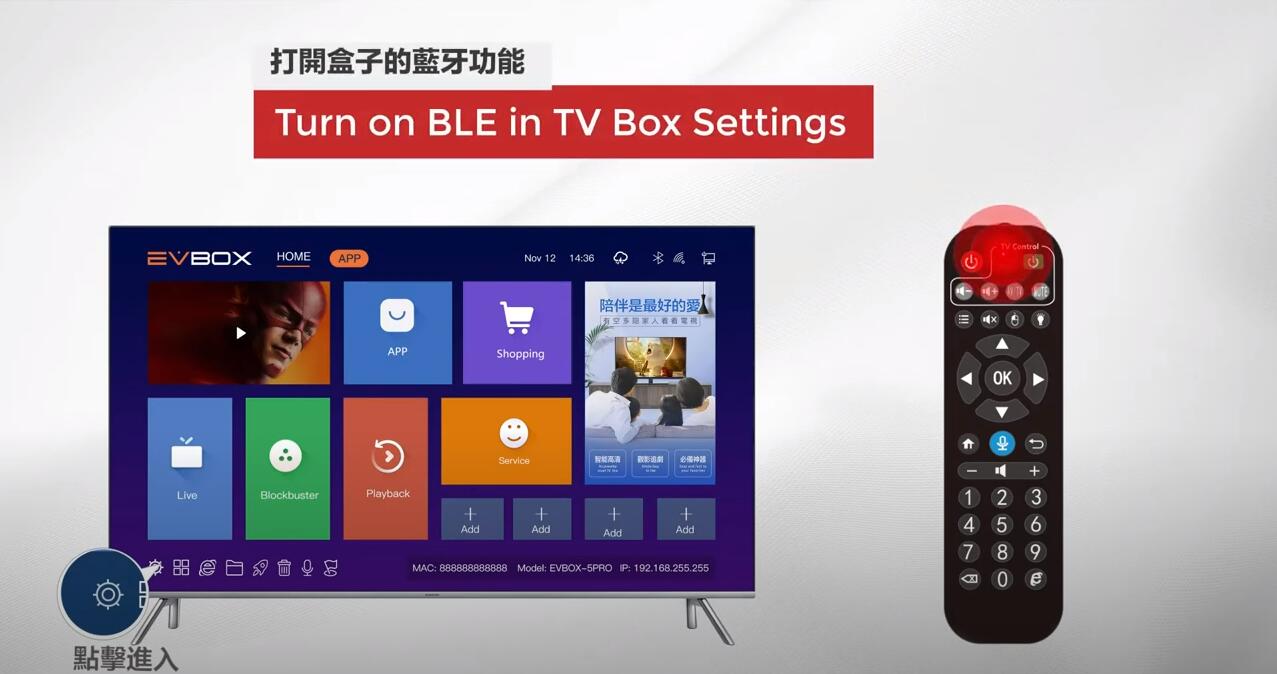
3. Turn on BLE in TV Box Settings
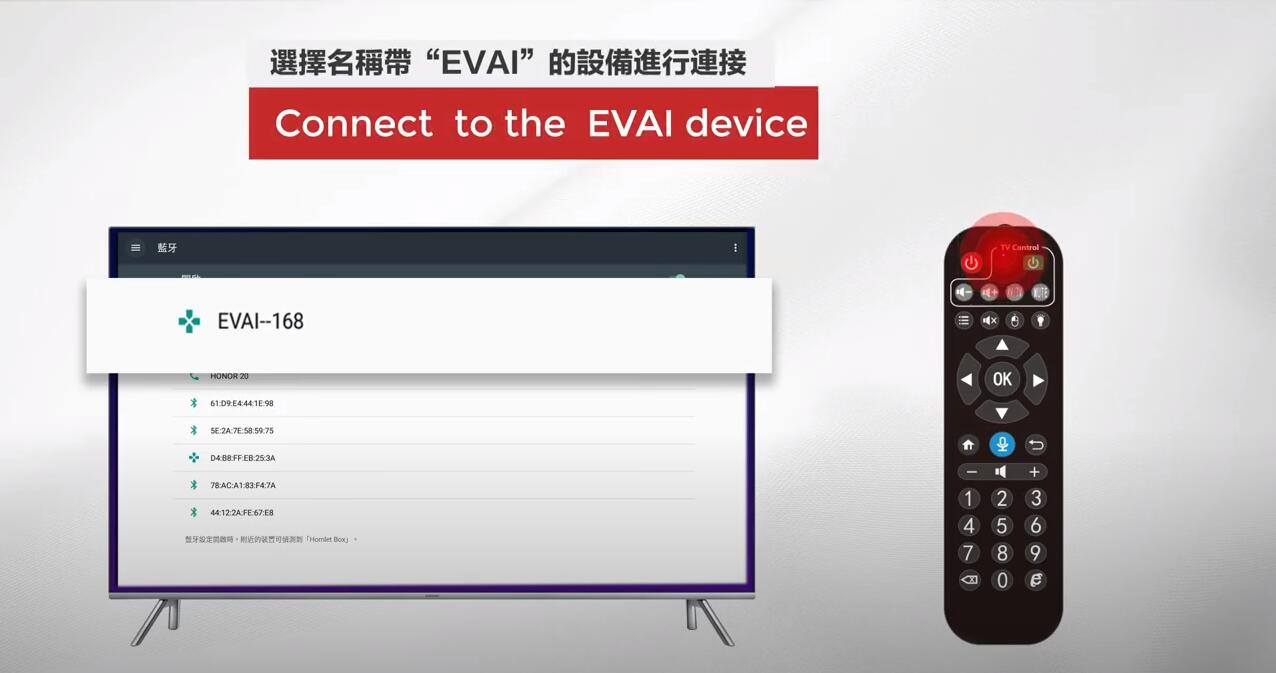
4. Connect to the EVAI device.
5. Pairing successful!
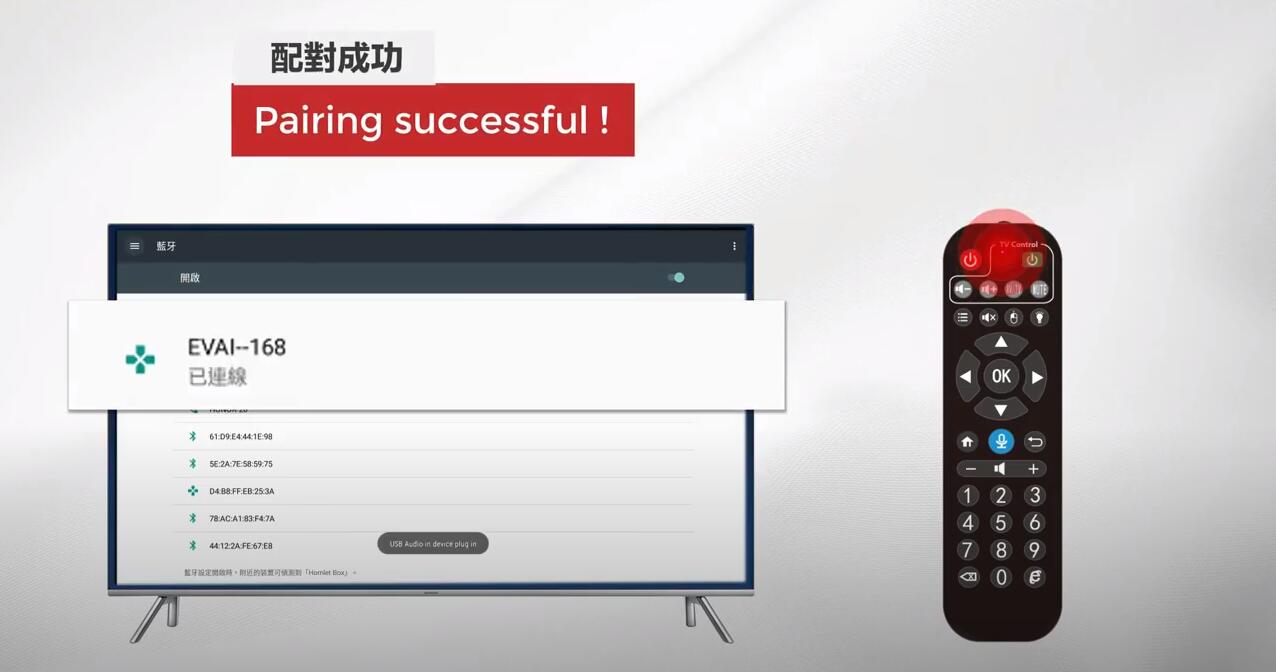
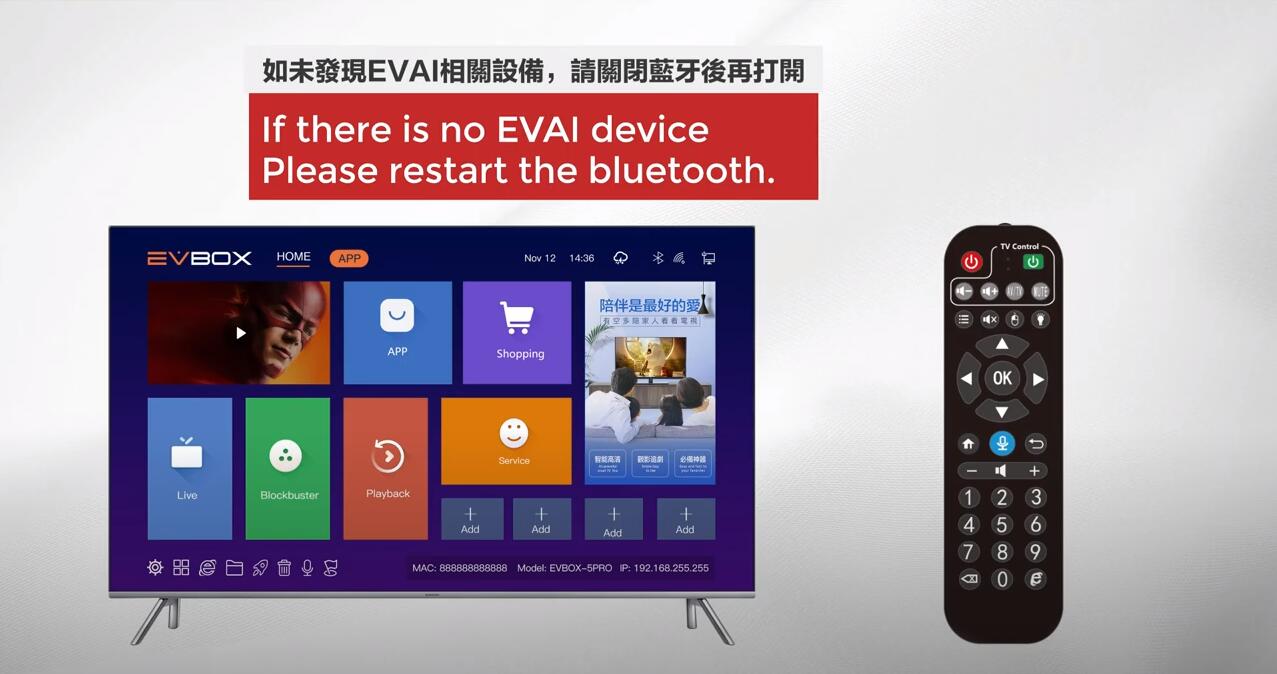
Attention Please: If there is no EVAI device. Please restart the Bluetooth and try to connect again.
2. Until the LED flashes to enter the pairing state.
3. Turn on BLE in TV Box Settings
4. Connect to the EVAI device.
5. Pairing successful!
Attention Please: If there is no EVAI device. Please restart the Bluetooth and try to connect again.
POPULAR BLOG
- UnblockTech UBox12 TV Box Official Warranty Upgraded to 18 Months!
- GetMax G12 Officially Launched - The High-End 8K Smart TV Box Built for Speed
- EVPAD 12S vs EVPAD 11S: What Improvements Have Been Made?
- EVPAD 12S Officially Launches Today: Smarter, Faster, and More Powerful Than Ever
- 【Latest 2025】Watch TV Channels and VOD from Around the World for Free! In-Depth Review of DIGIBox D6
ARCHIVES