





 USD
USD EUR
EUR GBP
GBP CAD
CAD AUD
AUD HKD
HKD JPY
JPY KRW
KRW SGD
SGD NZD
NZD THB
THB TWD
TWD English
 繁體中文
繁體中文 日本語
日本語 한국어
한국어 ไทย
ไทย Bahasa Indonesia
 Français
 Español
 Deutsch
 Português
 Nederlands
 Tiếng Việt
By EVPADPro | 10 April 2026 | 0 Comments
How To Restart EVPAD?
Is your EVPAD TV box feeling a bit slow or laggy?
Try restarting the device first
Steps:
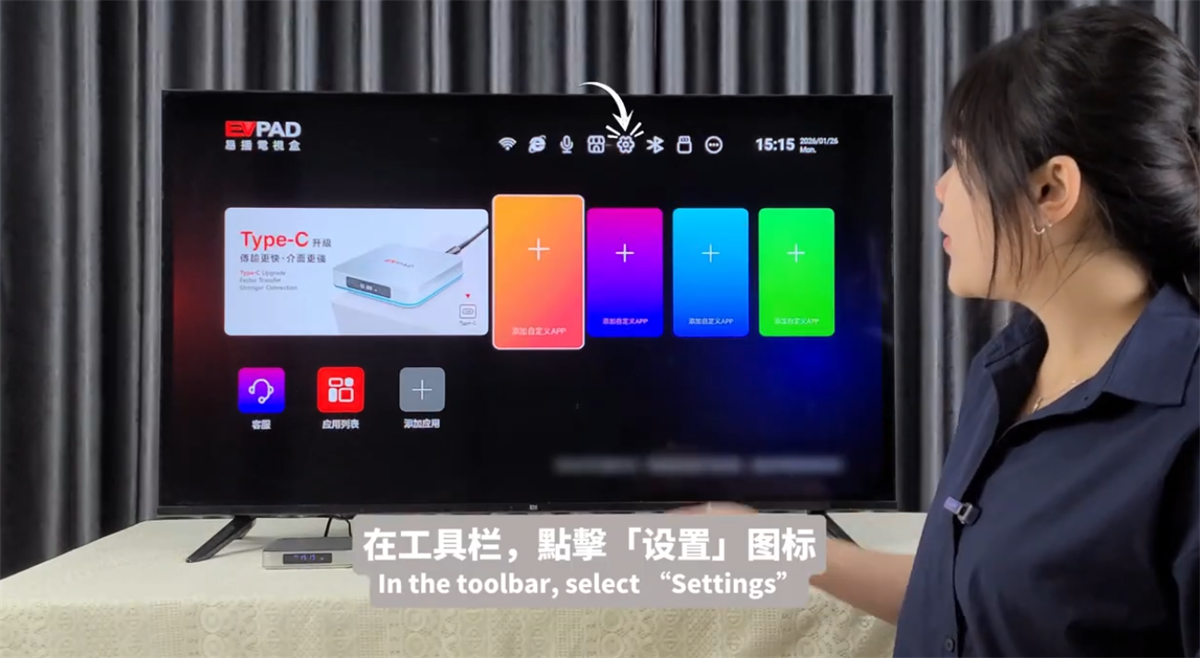
1, Open the toolbar and select Settings.
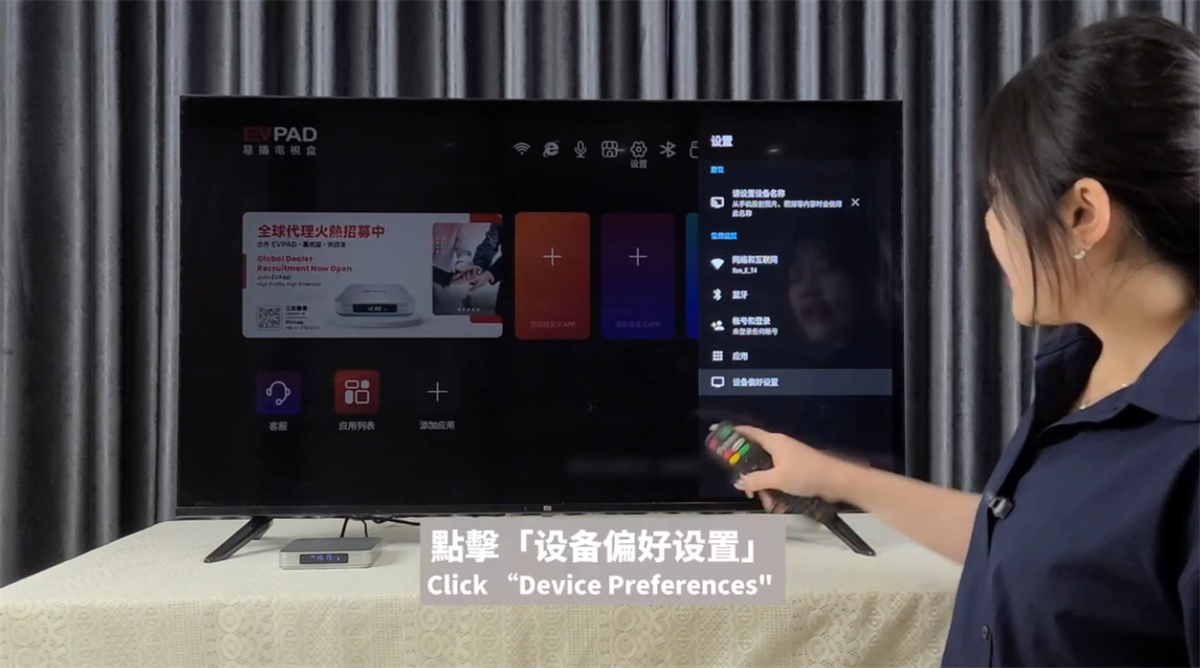
2, Tap Device Preferences.
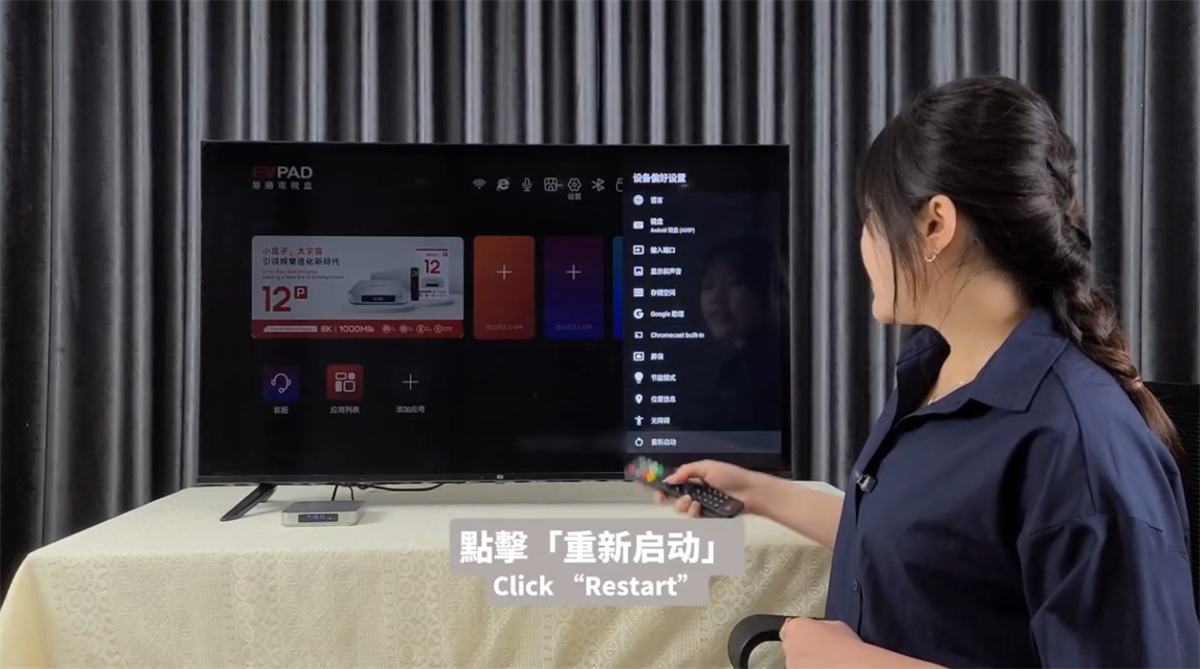
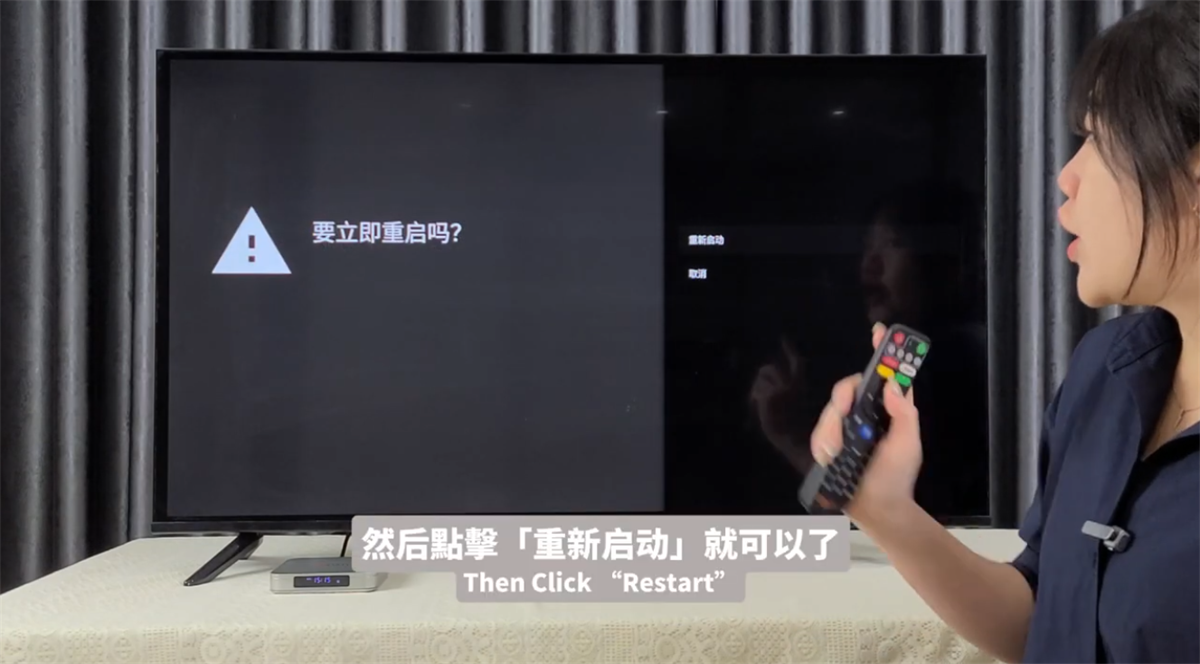
3, Scroll to the bottom and choose Restart.
If you notice minor lag, a quick restart usually helps. This method works for most TV boxes.
Try restarting the device first
Steps:
1, Open the toolbar and select Settings.
2, Tap Device Preferences.
3, Scroll to the bottom and choose Restart.
If you notice minor lag, a quick restart usually helps. This method works for most TV boxes.
POPULAR BLOG
- UnblockTech UBox12 TV Box Official Warranty Upgraded to 18 Months!
- GetMax G12 Officially Launched - The High-End 8K Smart TV Box Built for Speed
- EVPAD 12S vs EVPAD 11S: What Improvements Have Been Made?
- EVPAD 12S Officially Launches Today: Smarter, Faster, and More Powerful Than Ever
- 【Latest 2025】Watch TV Channels and VOD from Around the World for Free! In-Depth Review of DIGIBox D6
ARCHIVES



